Mine a Mountain Guide - How to Play & Tips (2026)
Mine a Mountain is a popular Roblox adventure game. Find codes, tips and how to get started.
Is Mine a Mountain worth playing?
Mine a Mountain is one of Roblox's overwhelmingly positive all games: around 15.9K players are in it right now and it has pulled 33M visits since it launched in 2026. With a 97% like rating across 181.5K votes, it is strongly recommended. If you enjoy the genre, it is an easy one to pick up and play for free.
About Mine a Mountain
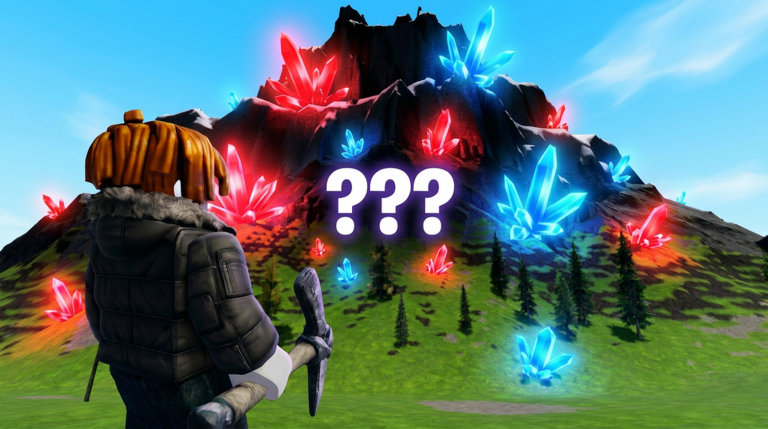
Mine a Mountain is a Roblox climbing and mining game by the 10K Steps group. You scale a freezing mountain, dig rare crystals out of the rock, sell them for cash back at the base, and spend that cash on Warmth, Pickaxe and Backpack upgrades so you can climb higher where the best crystals are. The higher and colder you go, the more valuable the haul - and the faster the cold ends your run if your Warmth is too low.
- Climb a freezing mountain, mine rare crystals, and sell them for cash to fund upgrades.
- Three upgrade tracks: Warmth lets you survive the cold higher up, Pickaxe mines crystals faster, and Backpack lets you carry more before each sell trip.
- The higher you climb, the colder it gets and the rarer and more valuable the crystals become.
- Free to play on PC, mobile and Xbox; made by the 10K Steps group.
How to level up fast in Mine a Mountain
Upgrade Warmth first so the cold stops ending your runs early, then Pickaxe so crystals break faster, then Backpack so you make fewer trips back down to sell. Climb a little higher each run to reach rarer crystals, always empty your backpack before you log off, and reinvest every payout into the next upgrade. Some players also report a Digging Luck boost for liking the game and joining the developer's group - claim it in-game if the option appears.
Who Mine a Mountain is for
Players who enjoy exploration, steady progression and working through areas and bosses.
How to start playing Mine a Mountain
Adventure games open up as you explore. Follow the main path first to learn the systems, then branch out to side areas and collectibles.
Mine a Mountain tips for beginners
- Follow the main objectives early to unlock core abilities and areas.
- Redeem codes for currency, boosts or items that ease the early game.
- Explore side areas for upgrades once you can survive there.
- Upgrade your key gear before tackling harder zones or bosses.
- Team up for the parts that are built around cooperation.
Common Mine a Mountain beginner mistakes
- Wandering into high-level zones far too early.
- Skipping main objectives that unlock core abilities.
- Not upgrading key gear before bosses.
- Ignoring codes that give useful early boosts.
What to aim for in Mine a Mountain
Progress through every area, upgrade your character, and clear the end-game content or bosses.
We track Mine a Mountain codes and refresh them when new ones drop. See the full Mine a Mountain codes list.
Mine a Mountain FAQ
Does Mine a Mountain have codes?
As of our latest check, Mine a Mountain has no active codes and no confirmed in-game code box. If the developer adds codes, they will show up in the game's Roblox description and community channels first - and on this page right after.
What should I upgrade first in Mine a Mountain?
Warmth. Freezing is what ends most early runs before you reach the better crystals, so raising Warmth lets you climb higher and survive longer. After that, upgrade Pickaxe for faster mining, then Backpack so you sell less often.