Catalog Avatar Creator Codes & Guide (2026)
Catalog Avatar Creator lets you try on any Roblox catalog item for free - accessories, hair, bundles, limiteds and animation packs - before you buy.
About Catalog Avatar Creator
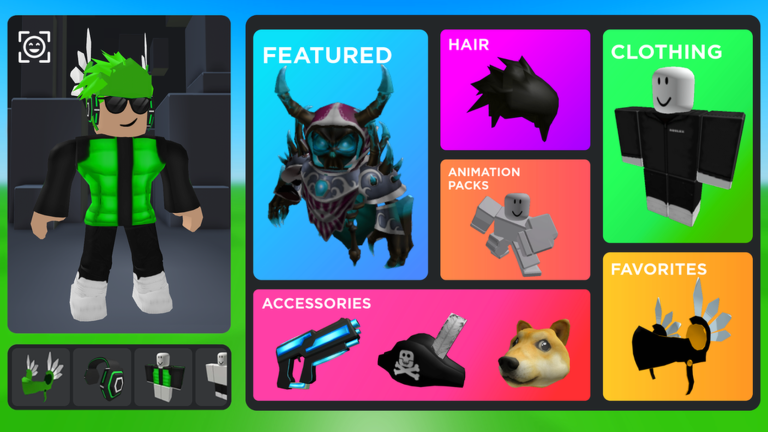
Catalog Avatar Creator is a Roblox sandbox for trying on avatar items completely free. You can equip any catalog item - accessories, hats, hair combos, bundles, limiteds and even UGC animation packs - to see exactly how it looks and moves on your avatar before spending a single Robux. Browse 50M+ community-created outfits for inspiration, mix and match freely, and save your favourite looks. If you find something you love, you can buy it right there and it goes straight into your Roblox inventory to use in any game.
- Try on any Roblox catalog item for free - accessories, hair, bundles, limiteds and animation packs.
- Preview how items look and move on your avatar before spending any Robux.
- Browse 50M+ community-created outfits for ideas, and save your own custom looks.
- Buy anything you like in-game and it goes straight to your Roblox inventory for use anywhere.
Catalog Avatar Creator Working Codes (2026)
VerifiedLast checked 2026-07-18 by the JoyInGames team. We re-check active codes regularly.
There are no active Catalog Avatar Creator codes right now, as of our 2026-07-18 check. Here is where new codes will show up first, plus how to make progress in the meantime.
Where Catalog Avatar Creator codes will appear
- The game's own description on its official Roblox page.
- The developer's community channels - the game's Discord server and the studio's X (Twitter) account.
- This page - we re-check Catalog Avatar Creator regularly and list any working code the moment it goes live.
How to make progress in Catalog Avatar Creator without codes
There is no grind - just start trying things on. Use the catalog to equip accessories, hair, bundles and animation packs, and combine them to build a look. Browse the community outfits when you want inspiration or a full outfit to copy, and save the avatars you like so you can load them later. Only spend Robux on items you have tried on and are sure about - once bought, they work in any game that supports that item type.
How to redeem Catalog Avatar Creator codes
- Open Catalog Avatar Creator on Roblox.
- Look for the codes, rewards, settings or shop button inside the game.
- Paste the code exactly as shown on this page.
- Confirm the code and check your inventory or reward balance.
Frequently Asked Questions
Does Catalog Avatar Creator have codes?
There are no codes - Catalog Avatar Creator is a free try-on sandbox rather than a progression game, so there is nothing to redeem. You try items on for free and only pay Robux if you decide to buy one.
Is Catalog Avatar Creator free?
Yes - trying on any catalog item is completely free. You only spend Robux if you choose to buy an item, and it then goes into your Roblox inventory to use in any game that supports it.
How do you save avatars in Catalog Avatar Creator?
Build a look by trying on items, then save it in-game so you can load it again whenever you want. You can also browse and use outfits from the 50M+ community-created collection.
More on Catalog Avatar Creator
Dig deeper into Catalog Avatar Creator with our full guide and live stats, or use the official Roblox links.